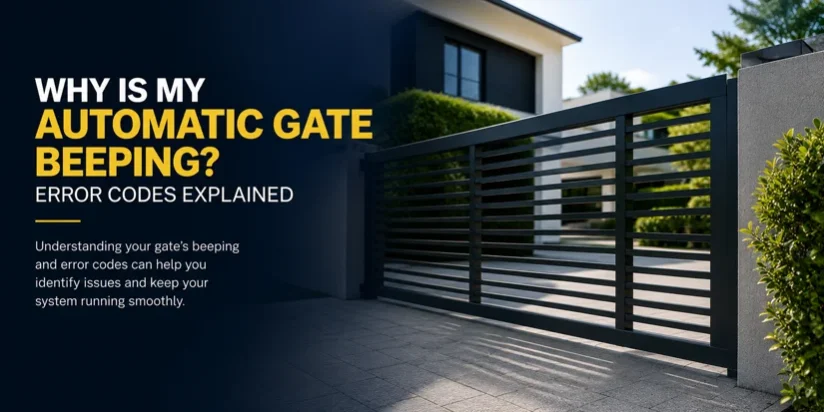
If your automatic gate has started beeping unexpectedly, you’re not alone. This is one of the most common questions homeowners and property managers across the Greater Toronto Area ask when something feels off with their gate system. The good news is that beeping is your gate’s way of communicating — and understanding what it’s trying to tell you can save you time, money, and frustration.
What Causes an Automatic Gate to Beep?
Most automatic gate operators use a series of beep patterns to signal fault conditions. These aren’t random — each pattern corresponds to a specific error that the control board has detected. Think of them as error codes, similar to how a smoke detector or car dashboard warning light works.
The beep patterns vary by brand and model, but the underlying causes tend to fall into a handful of common categories. Before calling for help, it’s worth knowing what to look for.
Common Beep Patterns and What They Mean
1 Beep — Obstacle or Safety Loop Fault
A single beep during operation usually means the gate has detected something in its path. Most systems have a built-in safety sensor (a photocell or inductive loop) that stops movement when triggered.
- Check for debris, leaves, or ice in the gate’s travel path
- Make sure no vehicle or object is blocking the photocell beam
- In winter, snow or ice on the ground loop sensor is a frequent cause
2 Beeps — Limit Switch Issue
Two beeps often indicate the gate isn’t reaching its fully open or fully closed position. The control board expects the gate to travel a set distance before stopping.
- The gate may have shifted off its track (common with sliding gates)
- A limit switch may need adjustment or replacement
- Check for physical obstructions at the open or closed end stops
3 Beeps — Motor Overload or Thermal Cutout
Three beeps typically signal the motor has been working too hard and has triggered its thermal protection. This is the gate’s way of protecting itself from burning out.
- Let the gate rest for 15–30 minutes before attempting operation
- This often happens after repeated open/close cycles in quick succession
- If it keeps occurring, the gate may need re-programming or a motor inspection
4 or More Beeps — Control Board or Power Fault
Four or more beeps usually point to a more serious issue with the control board, power supply, or battery backup.
- Check that the power supply to the operator is stable and uninterrupted
- If your system has a battery backup, the battery may be dead or failing
- A flashing LED on the control board alongside beeping often indicates a specific fault code — consult your operator manual
Beeping at a Specific Time of Day?
If your gate beeps consistently at the same time — often early morning or late at night — it is likely a low battery warning. Many operators are programmed to alert you when the backup battery drops below a safe voltage. This is especially common in winter when cold temperatures reduce battery performance.
Replacing the battery is usually a straightforward fix, but if the beeping continues after replacement, the charging circuit on the control board may need to be inspected.
Brand-Specific Notes
Different gate operator brands handle error codes differently. Here’s a quick overview for some of the most common systems in the GTA:
- LiftMaster / Chamberlain: Use a combination of LED flashes and beeps; a solid or flashing amber light alongside beeping usually indicates a sensor or entrapment fault
- FAAC: Error codes are displayed numerically on compatible control boards; beeping typically accompanies an obstacle or limit fault
- Apollo / GTO: Beep patterns are outlined in the operator manual and often relate to safety input or motor fault codes
- CAME / Nice: These brands use flash sequences on the board LED to identify fault type; beeping signals the operator has halted for safety
If you’re unsure which brand or model you have, check the label on the motor housing or control box. You can also view our services page to see the brands we service and install across the GTA.
When to Call a Professional
Some beeping issues are easy to resolve yourself — clearing a path, waiting for a motor to cool down, or replacing a battery. However, you should contact a gate technician if:
- The beeping persists after checking all the common causes above
- The gate is stuck open or closed and won’t respond to commands
- You notice grinding, jerking, or unusual movement alongside the beeping
- The control board is displaying unfamiliar flashing patterns
Attempting to force-operate a gate that has shut itself down for safety reasons can cause serious damage to the motor, track, and structural components. It’s always better to let a professional diagnose the fault first.
Our team at Techno Gate GTA provides 24/7 emergency service across Markham, Vaughan, Thornhill, Richmond Hill, and the wider GTA. If your gate is beeping and you can’t identify the cause, place a service call and we’ll get a technician to you fast.
Prevent Beeping Issues With Regular Maintenance
Most error-related beeping is avoidable with routine upkeep. Seasonal maintenance — especially heading into winter — helps keep sensors clean, batteries charged, and mechanical parts aligned.
For a full breakdown of what to check and when, read our Seasonal Gate Maintenance Guide: Spring and Fall Checklist and our article on How Regular Lubrication Keeps Your Driveway Gate in Peak Condition. Staying on top of maintenance is the single most effective way to avoid unexpected faults and costly repairs.
If you have questions about your gate system or want a professional inspection, call us at (905) 205-2550 or visit us at 3400 14th Ave #11, Markham, ON L3R 0H7. We’re here to help.